
System Status & Call Distribution
When an agent is in "Available" status, the system is ready to manage calls. The system behavior depends on the selected dialing mode.
Predictive Mode
System automatically distributes calls to available agents. Agents answer incoming calls with no manual input required. Maximizes call volume and team efficiency.
Manual Mode
Agents manually enter phone numbers and initiate calls. Provides greater control over call timing and customer interactions for specialized workflows.
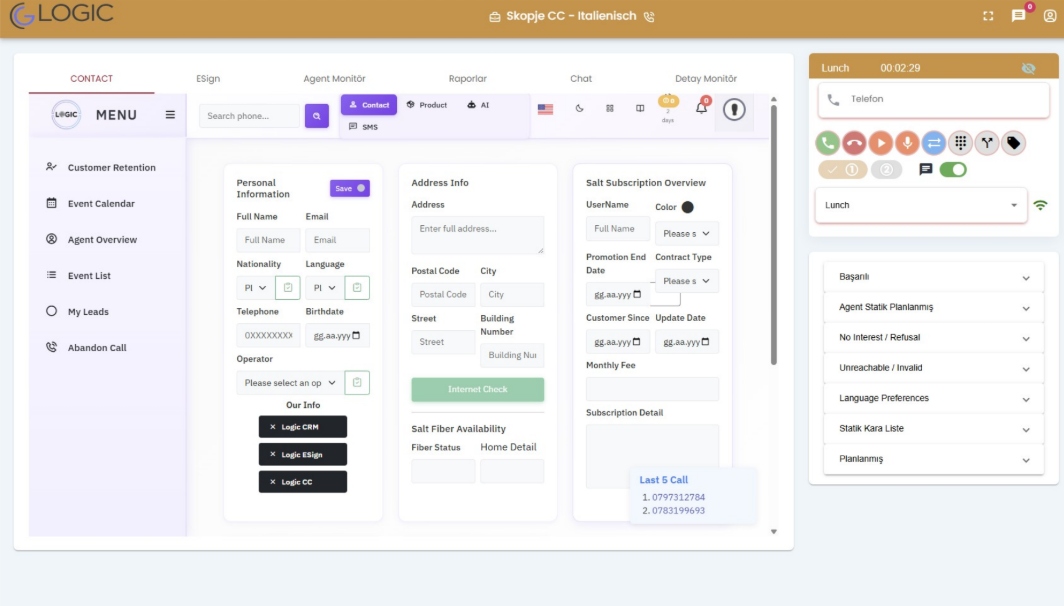
After Call Work (ACW)
Upon call completion, the agent transitions to ACW status to perform essential administrative tasks:
- Select appropriate call result codes
- Enter detailed notes and call observations
- Update comprehensive customer information
Break Management
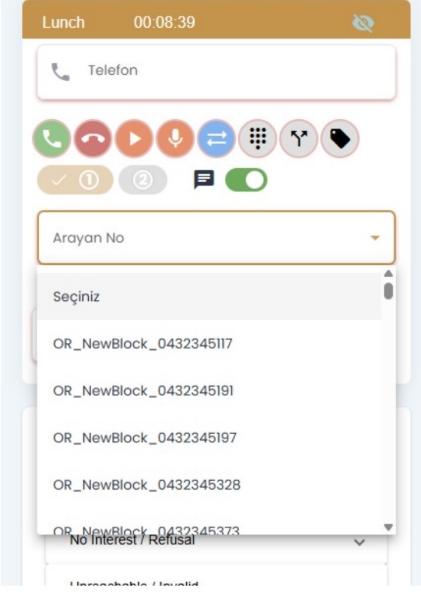
Agents can select break types directly from the status menu. The system will not distribute calls during break periods. To resume call distribution, agents must return to "Available" status.
Call Control Functions
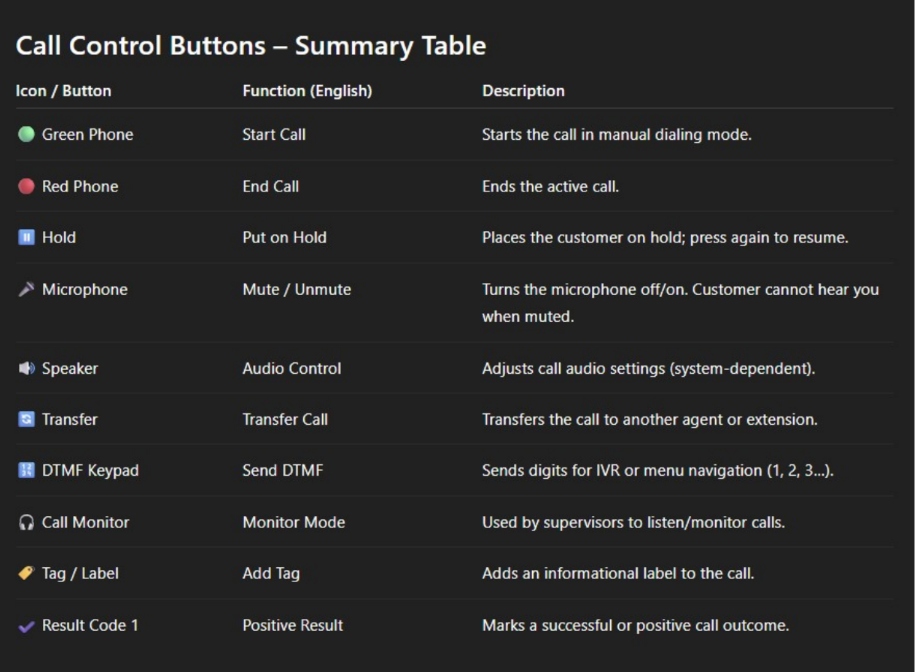
Complete Function Set
Green Phone (Start) | Red Phone (End) | Hold (Pause) | Transfer (Route) | Mute (Audio) | Monitor (Supervision) | Record (Logging) | DTMF (Navigation)
Customer Search & Caller ID
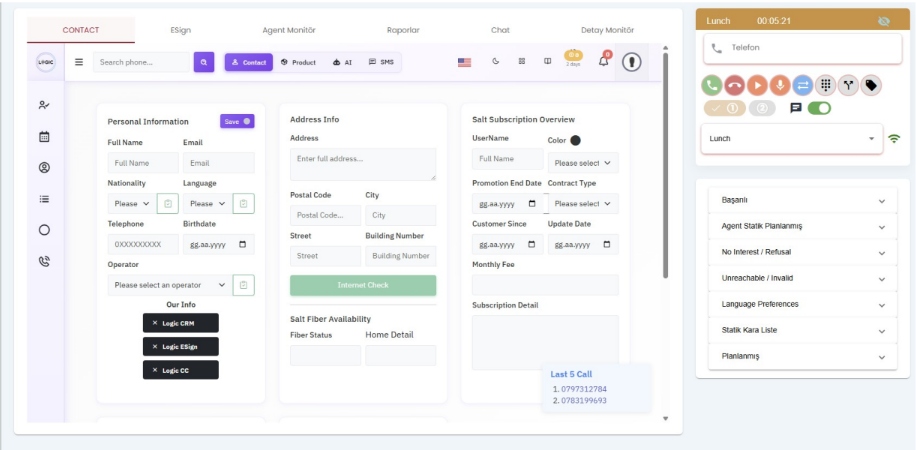
Search Workflow
Enter phone number → Initiate search → System loads complete customer profile → Review tabs (Contact | Product | AI | SMS) → Select caller ID for outbound calls
The E-Sign module guides you through a streamlined four-step process for creating and delivering digital contracts with complete compliance and security.
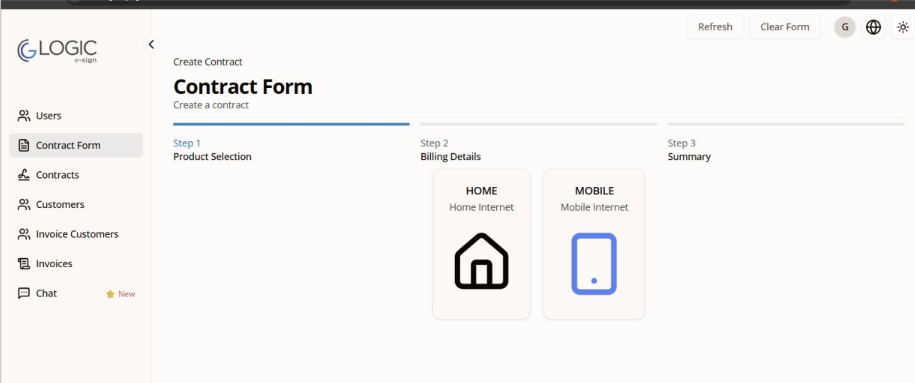
Step 1: Product Selection
Home Internet Services
Select for residential internet offerings. Speed options, package configurations, and promotional terms will be presented in the next step.
Mobile Internet Services
Select for mobile connectivity. Line types, pricing plans, and supplementary packages will be available for configuration.
Step 2: Contract Configuration
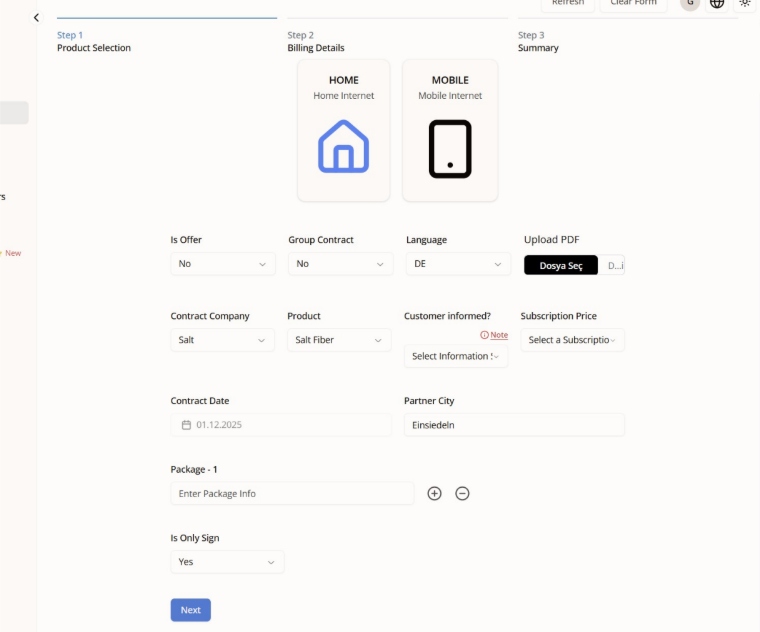
Configuration Options
- Offer Status: Campaign or promotional pricing
- Contract Type: Individual or group contracts
- Language Selection: DE, FR, EN, or additional
- Company & Product: Issuer and service details
- Price Tier: Rate plan selection
Step 3: Customer Information
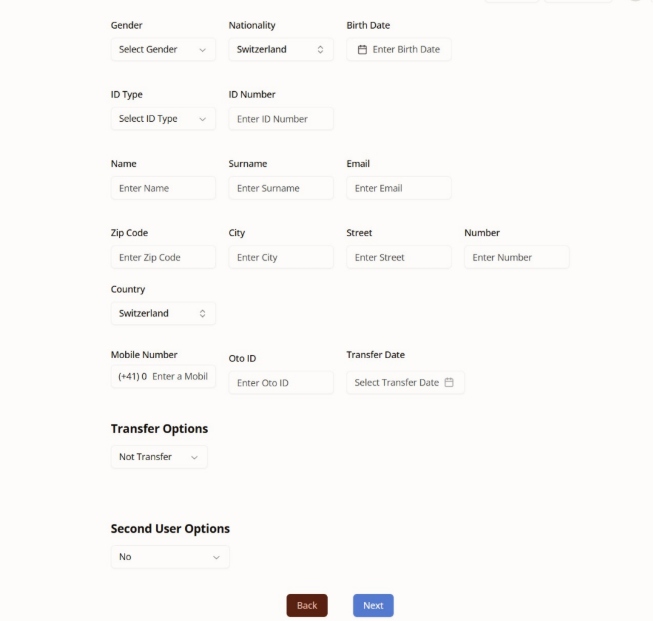
Complete all required fields including identity verification, contact details, address information, and number transfer options if applicable. System validates all entries before proceeding.
Step 4: Digital Signature
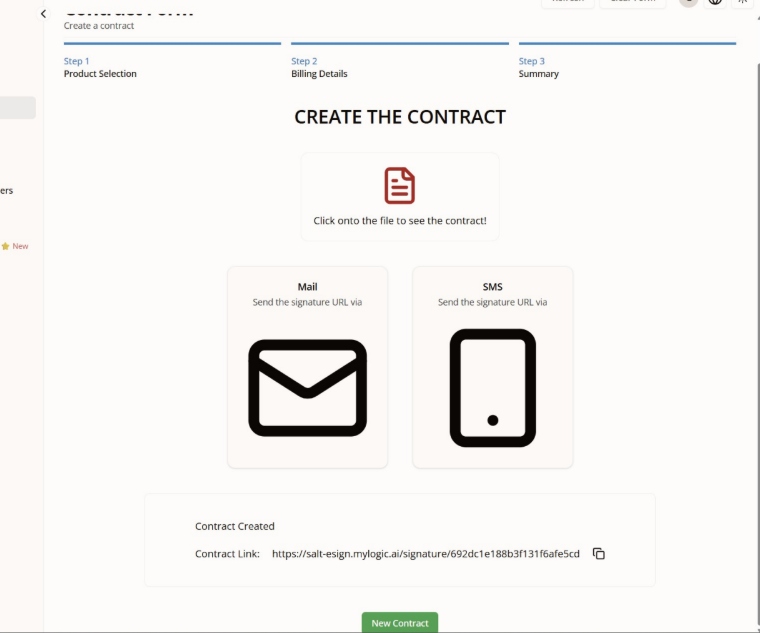
Signature Delivery
Review complete contract summary → Send signature URL via Email or SMS → Customer receives personalized signing link → Digital signature is captured and verified → Contract automatically enters fulfillment workflow
Step 1: Installation & Setup
Desktop Applications
Mobile Applications
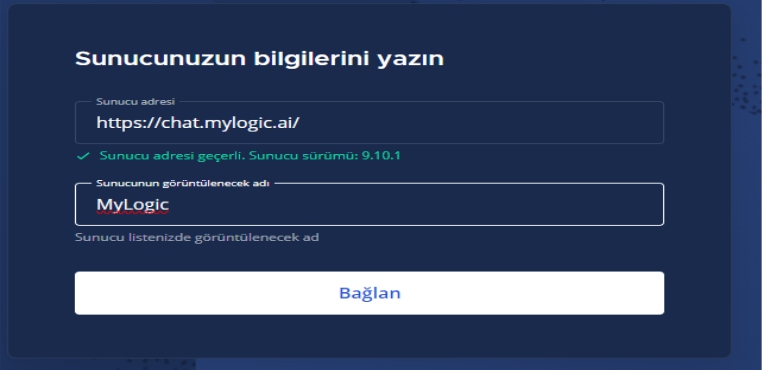
Step 2: Server Connection
Connection Configuration
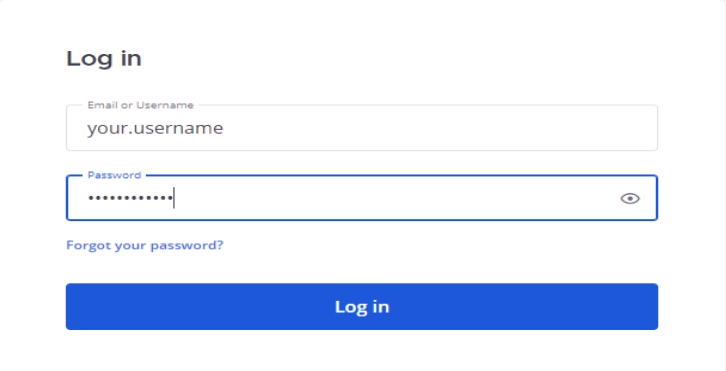
Step 3: Navigation & Features
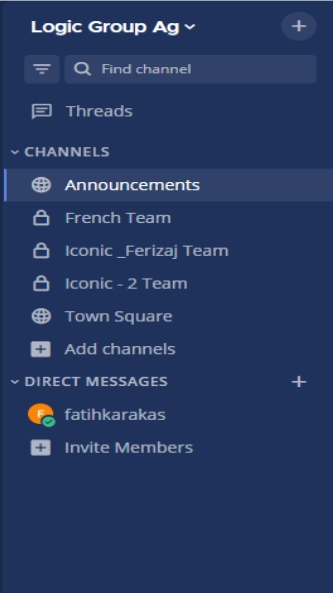
Core Features
- Threads: Follow and participate in targeted conversations
- Channels: Team-wide communication and announcements
- Direct Messages: Secure one-to-one conversations
- Notifications: Real-time alerts and updates
- File Sharing: Secure document collaboration
Step 4: Advanced Configuration
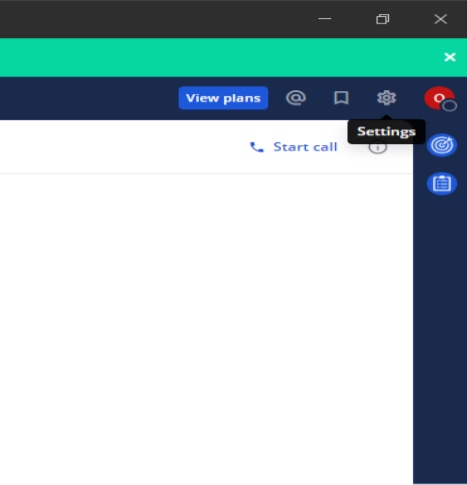
Settings & Preferences
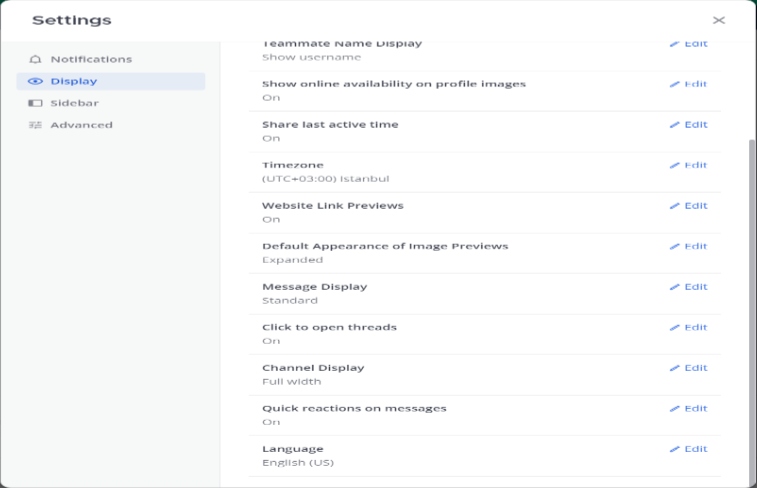
Navigate Settings → Display → Configure language, theme, notification preferences, and appearance options for personalized experience.
Company History & Vision
SALT (formerly Tele2) is Switzerland's fastest-growing telecommunications provider, revolutionizing the market with customer-focused solutions. Founded on principles of innovation, transparency, and excellent service, SALT delivers connectivity solutions for residential and business customers across Switzerland with 5G, Fiber, and mobile technologies.
Core Advantages
💚 Customer First Approach
Transparent pricing, no hidden fees, exceptional customer service with dedicated support teams for all customer segments.
⚡ Advanced Technology
Latest 5G network, fiber optic infrastructure, and cutting-edge digital services ensuring fastest, most reliable connections.
💰 Best Value
Competitive pricing, flexible plans, attractive bundles, and special offers making premium connectivity affordable for everyone.
🌐 National Coverage
Comprehensive nationwide coverage including rural areas, with continuous network expansion ensuring reliable service everywhere.
Complete Product Portfolio
Internet Services
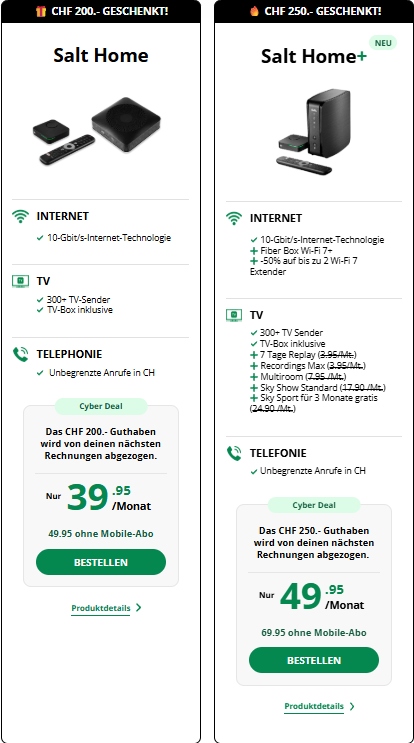
• Unlimited data
• Ultra-fast speeds
• Perfect for families
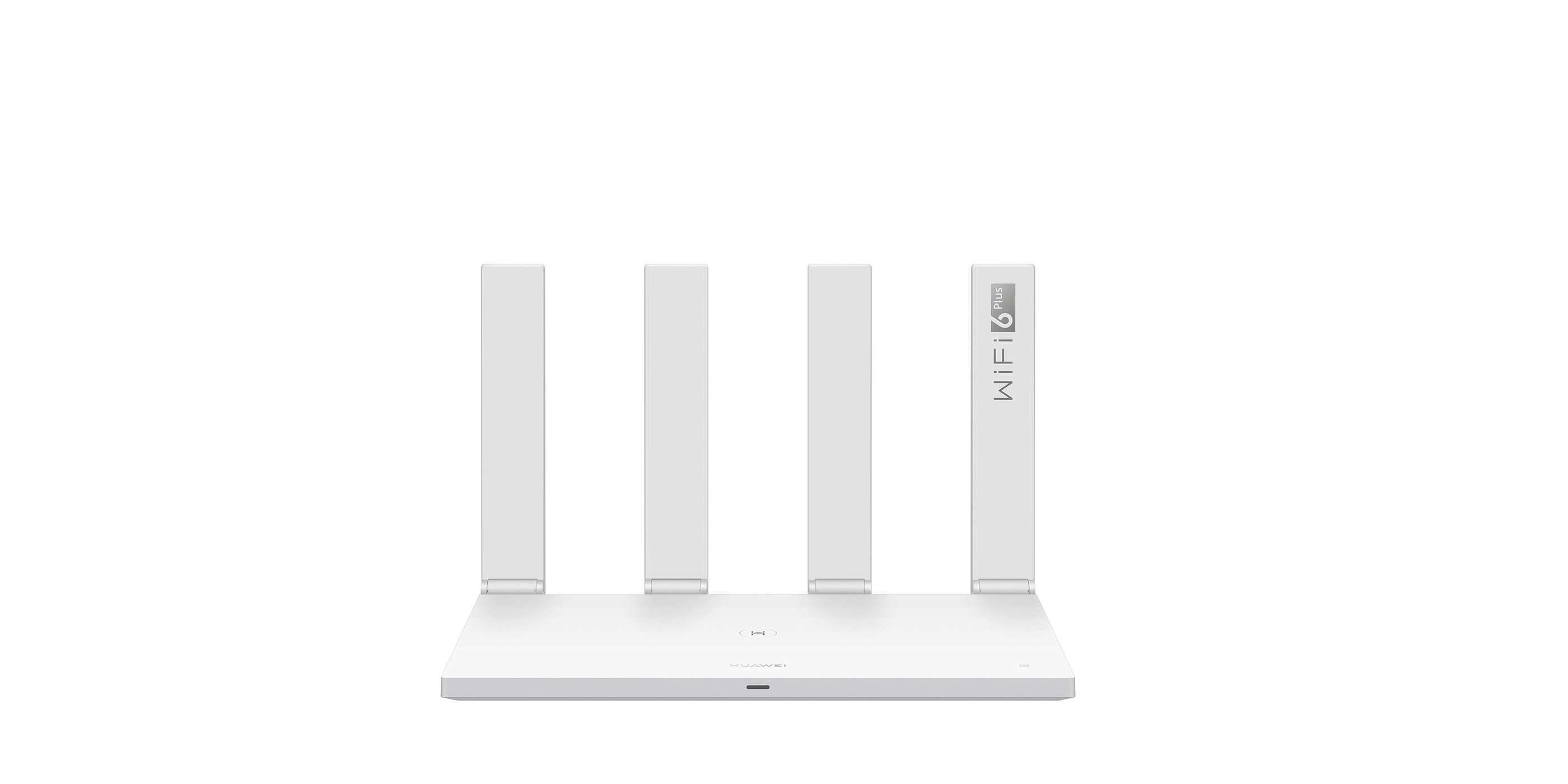
• Wireless freedom
• Fast home wifi
• Flexible plans
Mobile & TV Services
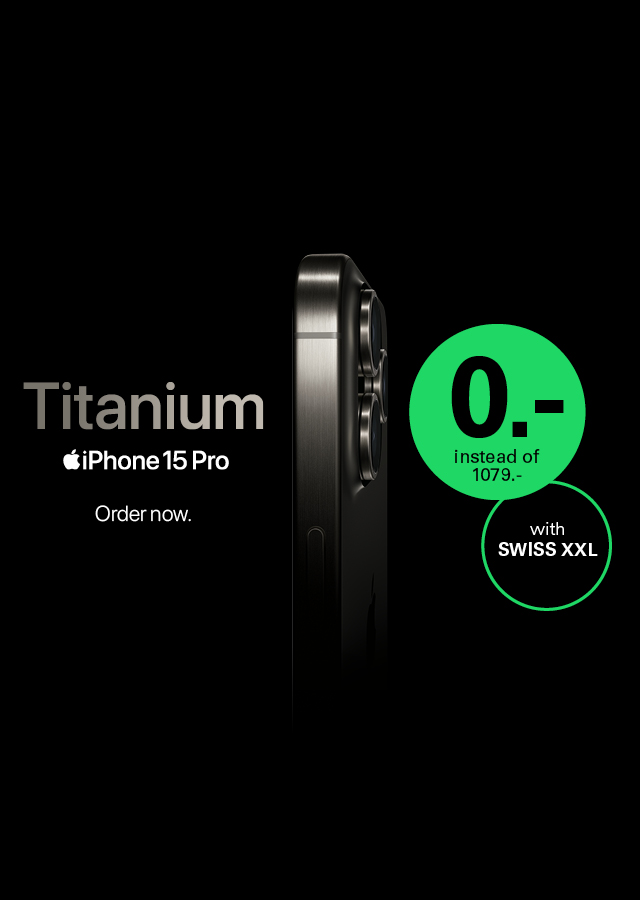
• High data volumes
• National coverage
• No long commitments
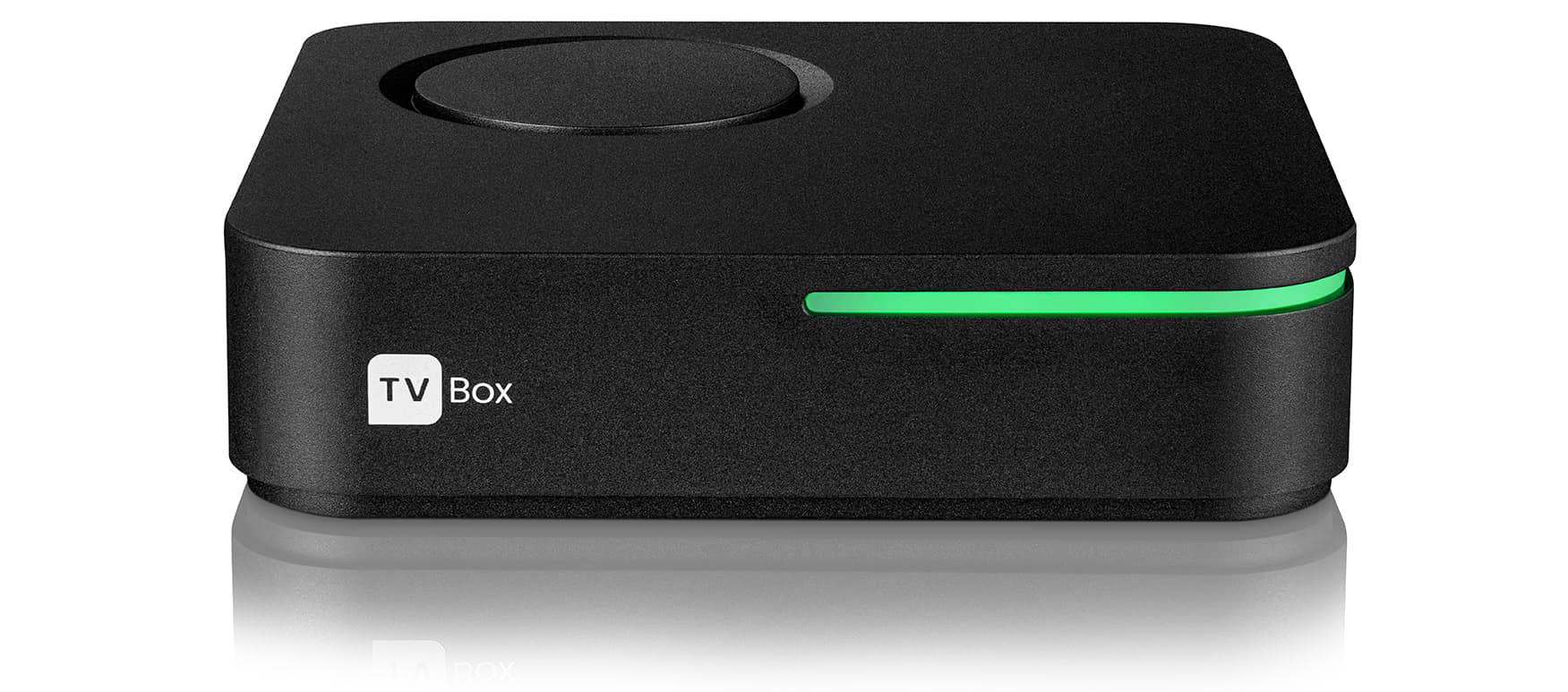
• HD & 4K content
• Recording capability
• VOD services
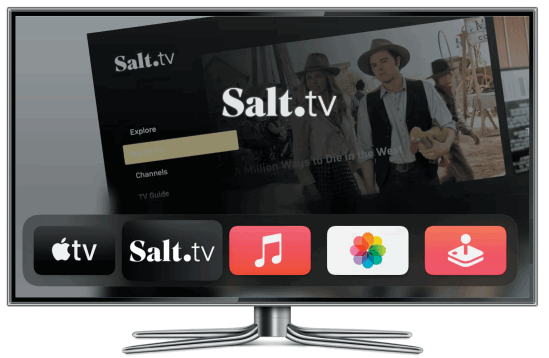
• 4K resolution
• Apple ecosystem
• Smart integration
Equipment & Hardware
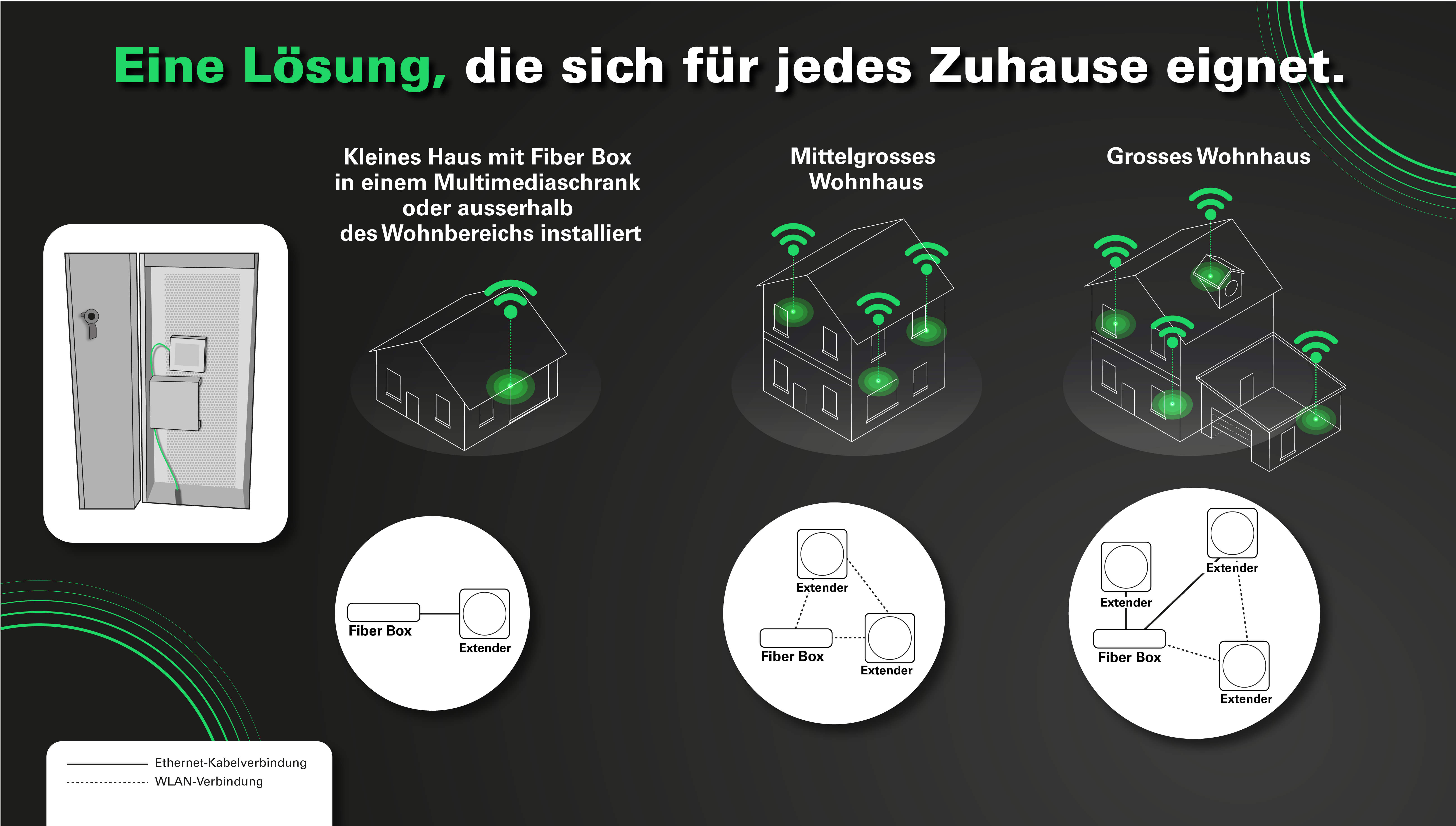
• Gigabit ethernet
• Home network hub
• Professional support

• Enterprise-grade
• Advanced management
• WiFi 6 support
Why Choose SALT for Your Business
- ✓ Proven reliability with 99.9% network uptime SLA
- ✓ Flexible enterprise solutions tailored to business needs
- ✓ Dedicated account management and 24/7 support
- ✓ Competitive pricing with transparent billing
- ✓ Advanced security and data protection standards
- ✓ Continuous innovation and technology upgrades
- ✓ Comprehensive portfolio from internet to TV services